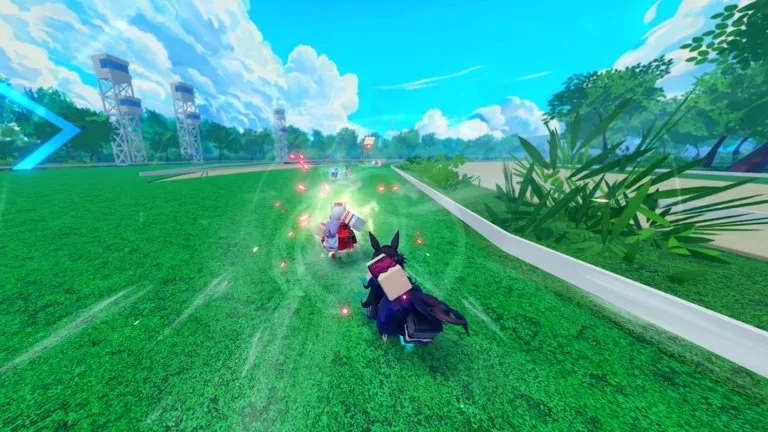
UMA DASH is a public-beta Roblox race for up to 15 players. Krampus Studios supports mobile, PC, and console. Voice chat and the Roblox camera are not supported, and avatars morph to R6.
Before the first race
- Join the Krampus Studios group if you want the code field and the free group gift. The gift's contents are not published.
- Redeem codes from Settings. Steps are on the codes page.
- Finish the tutorial. A separate tutorial map exists. The board does not publish its layout.
- Open the Library guide for the Uma you have equipped. That Library UI arrived in V0.13.
The starting gate
The camera pans across every racer and shows username, total races, win rate, and debut date. A reaction QTE then uses the W key.
- Pressing W before it turns green makes the key glow red and puts it on cooldown for about 0.5 seconds.
- Perfect: W within 0.2 seconds. You leave at 100% speed.
- Medium: W between 0.2 and 0.5 seconds. You leave at 70% speed.
- Slow: W after 0.5 seconds. You leave at 0% speed and accelerate out of the gate yourself.
V0.13 reduced dash QTE difficulty for every Uma. V0.11 fixed console look-back on R1/LB. A full keyboard and mobile binding chart is not published, so use the in-game control list rather than a borrowed Uma Racing layout.
What you are racing with
Each Uma has a limited number of dashes, one or two skill uses, and an ultimate. Current speed is shown above the ultimate meter. Dash charges, green-dash bonuses, and slipstream perks are build pieces, not a second character.
Read pace and stamina before you lock a style, then open the roster for the kit you actually own.
After the race
Finishes can drop perks. 1st place is a 30% chance, and 5th or lower is 15%. See perks and crafting. Private servers do not grant progression, but Gold and Prestige Spins you spend there are still saved as spent.
A friend in the race adds 10% Gold per friend, up to 50%. That bonus is from the public-beta notes and has not been listed as removed.